
Mindfulness Tools
Meditation, breathing, mindful bells, and simple tools for daily mindfulness.
Mindfulness Tools brings simple, flexible tools for mindfulness practice together in one place.
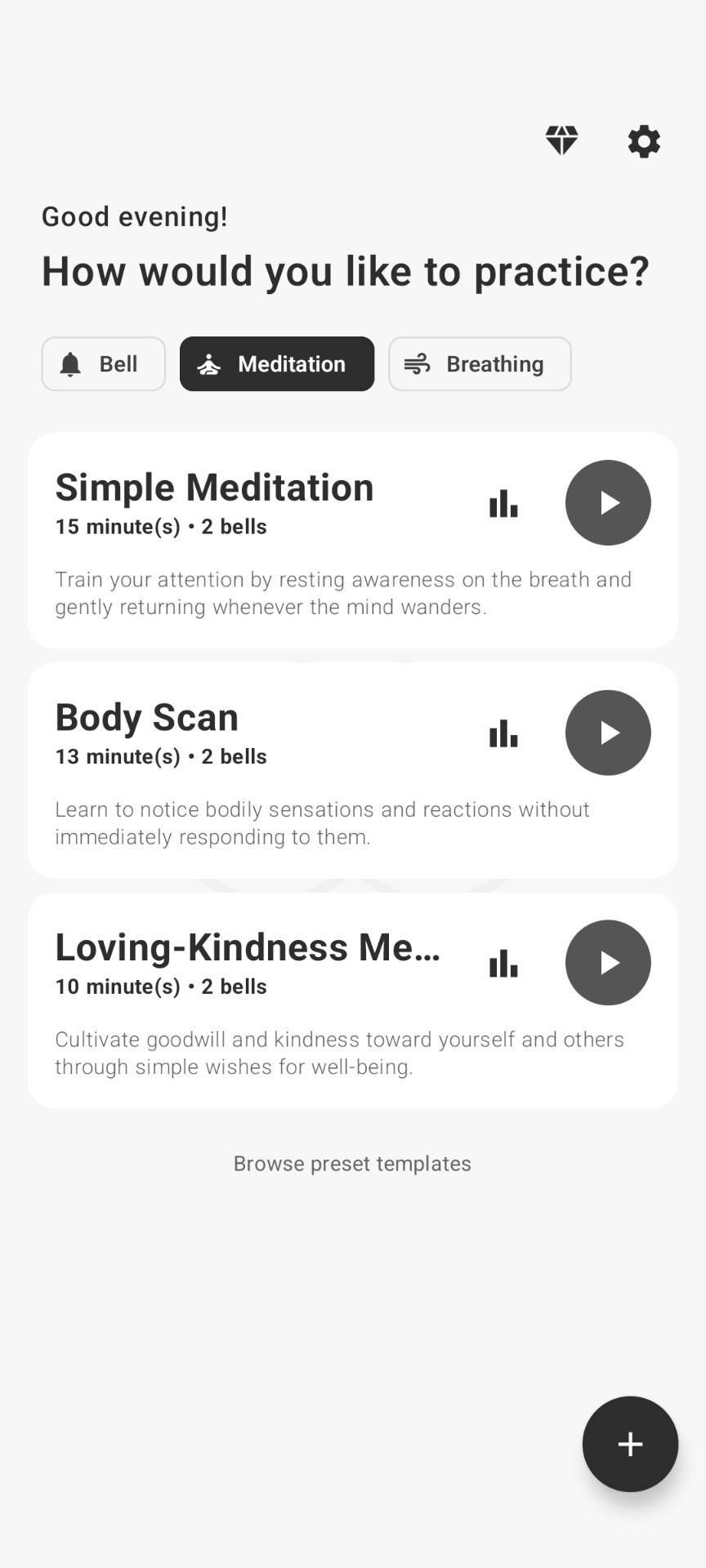
Choose a ready-made practice or create your own. Set it up once, save it, and return whenever you want to practice. Just one tap and you're ready to begin.

Morning meditation
Start the day with a short silent meditation or a saved session with bells and spoken guidance.
A breathing break between tasks
Take a few minutes for Box Breathing, 4-7-8 Breathing, or Equal Breathing before your next activity.
Mindful pauses while working
Set recurring mindfulness bells throughout selected parts of your day. Use them while working, studying, meditating, or whenever you'd like an occasional cue to pause and notice.
A body scan before bed
Choose a ready-made body scan or build your own quiet practice with silence, spoken guidance, and gentle cues.
Features
MEDITATION
Use a simple meditation timer or build a structured meditation session with a flexible timeline. Combine periods of silence with bells, vibration, spoken guidance, and other steps. Create anything from a simple silent meditation to a body scan or a longer mindfulness practice.
BREATHING
Take a few minutes to bring your attention to your breath. Box Breathing · 4-7-8 Breathing · Equal Breathing
MINDFUL BELLS
A gentle bell can be a simple cue to pause, notice what you're doing, and bring your attention back to the present moment. Set recurring mindfulness bells throughout selected parts of your day. Use them while working, studying, meditating, or whenever you'd like an occasional cue to pause and notice. Hourly and repeating mindfulness bells · Flexible active periods · Different bell sounds · Random sounds · Vibration · Affirmations · Custom schedules
CREATE YOUR OWN PRACTICE
Create practices for different moments: a 10-minute morning meditation, a short breathing practice between tasks, mindful bells throughout your workday, a body scan before bed, or something entirely your own. Your practices can be simple or structured. Set them up once and they stay ready whenever you want to return.
ONE TAP TO PRACTICE
Set up a practice once. Save it. Come back whenever you want. Open Mindfulness Tools, choose what you'd like to practice, and start.
Backup and restore
Backup and restore your data at any time.
Privacy & Trust
- Account optional
You can use the app without an account unless you choose a feature that needs sign-in.
- Local data on your device
Saved bell, meditation, and breathing practices, affirmations, custom sounds, preferences, and practice statistics are stored on your device. Cloud backup is optional. You can remove it by uninstalling the app or clearing app data.
- Limited off-device data may be processed
Some limited data may be processed off-device for app functionality, analytics, and ads. Optional features such as Account information for backup sign-in and Cloud backup data may process additional data off-device for app functionality.

ONE TAP TO PRACTICE
Use all mindfulness tools for free with ads. Premium is optional: remove ads and keep Bell presets running continuously without regular app visits.