Under Trees - Private diary
Tell the trees your secrets.
Under Trees is a simple, private diary that lives on your device. Write about your day, capture your mood, add photos or a quick sketch, and keep it all behind a passcode — no account, no sign-up, just your journal on your device.


A quiet daily journal
Capture thoughts and moments without needing to create a user-facing account before you start writing.
Private reflection on the go
Open your journal even when connectivity is limited, then use the app lock to keep casual access away from your entries.
Look back with context
Use dates, tags, attached images, and moods to rediscover what happened and how you felt at the time.
Features
A DIARY THAT KEEPS UP WITH YOU
No account, no login — install and start writing right away • Works fully offline — on a plane, on the subway, anywhere • Fast, clean, distraction-free writing • Write as many entries as you want, whenever you want
KEEP IT PRIVATE
Protect your diary with a passcode • Unlock quickly with biometrics • Auto-lock when the app goes to the background • Set up a security question to recover access if you forget your passcode — no reset email needed • Your data stays in private app storage, protected by the OS from other apps
MAKE IT YOURS
Free themes, plus a theme builder with your own colors and backgrounds • Pick the app font that feels right • Entry templates to get you started: Traveling, Food, Self-care, Learning, Gratitude • Optional affirmations that greet you when you open the app
MORE THAN JUST TEXT
Add photos from your gallery or camera • Draw a quick sketch right inside an entry • Use your voice with built-in speech-to-text
FIND ANYTHING, FAST
Search by content or by tag • Browse your entries on a calendar • Stay organized with tags and a tag manager
SEE HOW YOU'VE BEEN
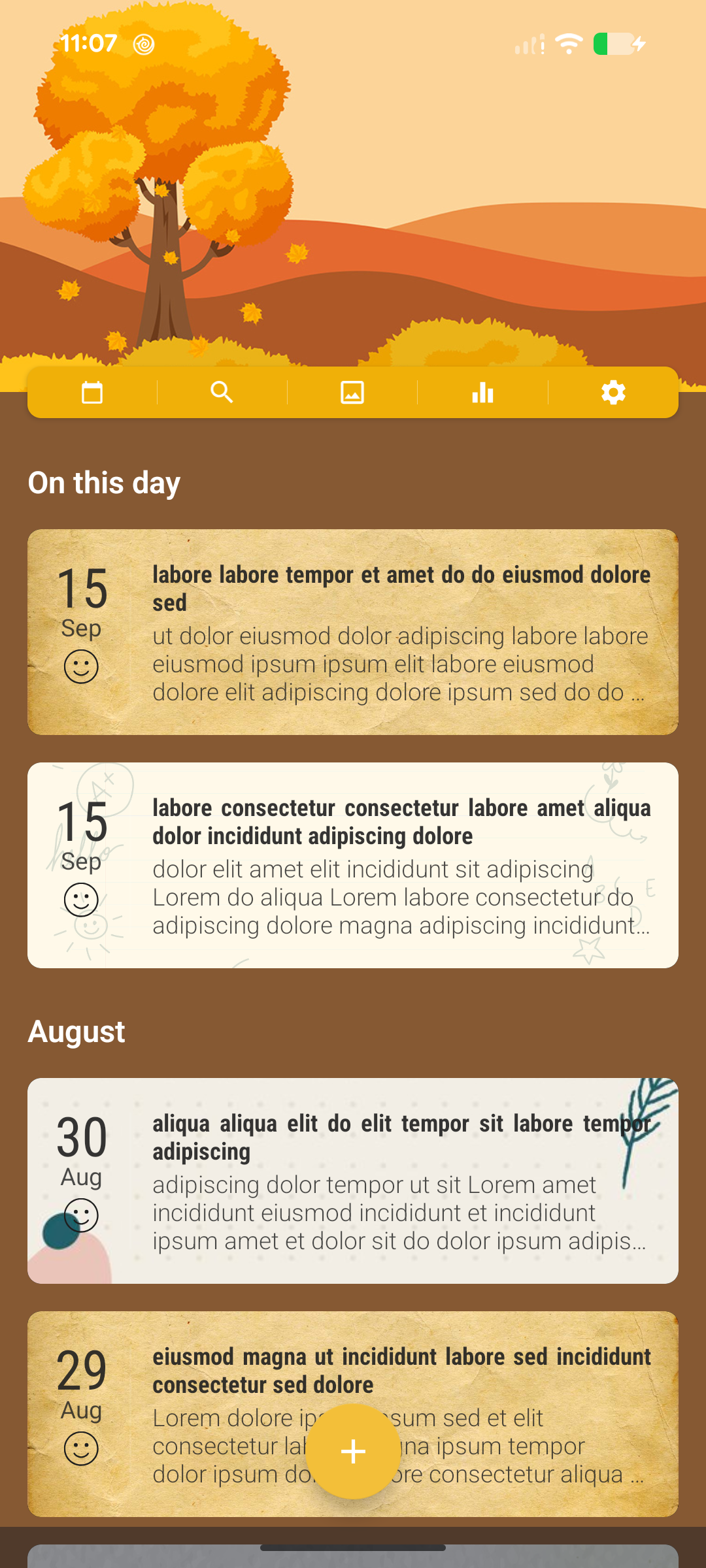
A simple mood tracker built into the calendar • Mood insights to see how your mood shifts over 30 days, 3 months, or all time — even broken down by tag • "On this day" brings back memories from your past
BACKUP & EXPORT, ON YOUR TERMS
Back up to your own Google Drive app folder, or locally to a folder on your device • Restore on another device with the same account • Export entries as .txt or PDF files to print or keep wherever you like
GENTLE REMINDERS
Optional notifications to nudge you to write • Fully customizable and can be turned off at any time
Privacy & Trust
- Account optional
You can use the app without an account unless you choose a feature that needs sign-in.
- Local data on your device
Core journal content, attached media, tags, affirmations, themes, security settings, reminders, and preferences are stored on your device. Local journal and media storage is not encrypted by the app passcode. You can remove it by uninstalling the app or clearing app data.
- Limited off-device data may be processed
Some limited data may be processed off-device for app functionality, account management, and analytics. Optional features such as Optional Google account information and Optional Google Drive backup may process additional data off-device for app functionality and account management.

Frequently Asked Questions
Does Under Trees work without the internet?
Yes. Writing, reading, searching, calendar browsing, tags, themes, moods, and other core journal features use data stored on your device. Internet access is still needed for ads, purchases, analytics and diagnostics, remote configuration, app updates, and optional Google Drive backup.
Is an account required to start writing?
No user-facing account is required for the local journal. Google sign-in is optional and is requested only when you choose Google Drive backup and restore. The app may also use an anonymous Firebase identifier for supporting services.
Where are journal entries stored?
Entries, tags, affirmations, and attached media are stored locally in the app's private storage. Nothing is backed up to Google Drive unless you explicitly sign in and create a Drive backup.
Does the passcode encrypt journal content?
The passcode and supported biometrics protect access through the app interface. They do not encrypt the journal database, media files, or backup files. Keep local and Drive backups in a place you trust.
How do backup and restore work?
Open Backup / Restore and choose a local folder or Google Drive. A local backup stays in the folder you select. Drive backups are placed in Google Drive's app-specific data area after you sign in and authorize access. Restore replaces the current local journal, so keep a current backup before restoring older data.
What do Free and Premium include?
The core journaling experience is free because writing things down should be for everyone. The free version is supported by ads. Premium is optional. It removes ads and unlocks extra customization, including image and color note backgrounds. Choose a yearly subscription or a one-time Lifetime purchase.
Can journal entries be exported?
Yes. Export entries as .txt or PDF files to print or keep wherever you like.
Is Under Trees Offline still being developed?
Yes. Active development has resumed, with ongoing work focused on improving the offline-first journal experience, reliability, and data portability.
Under Trees. Tell the trees your secrets.
A diary can mean everything to its owner, and I get that. Email me any time at support@langhoangal.dev — I read and reply to every message.
The core journaling experience is free because writing things down should be for everyone. The free version is supported by ads. Premium is optional. It removes ads and unlocks extra customization, including image and color note backgrounds. Choose a yearly subscription or a one-time Lifetime purchase.